Smart blinds sound simple — until you try to connect them to Google Home. Here's what actually works, what to watch out for, and how to get it done right in Tarrant County.
Share:

You’ve already got a smart thermostat, smart lights, maybe a Nest doorbell. But every morning and evening, you’re still walking room to room adjusting your blinds by hand. It’s a small thing — until it isn’t. If you’ve started researching smart blinds that work with Google Home, you’ve probably noticed that the answers get complicated fast: hubs, protocols, bridge devices, compatibility warnings buried in fine print. This guide is meant to be the clear version of that conversation. We’ll explain how the connection actually works, what separates a system that holds up from one that frustrates you, and why it matters more than you might think in Tarrant County, where your windows are working against you for most of the year.
The short answer is that your blinds don’t connect directly to Google Home — at least not most of them. What actually happens is a chain: the shade’s motor connects to a hub or gateway, that hub connects to your home’s Wi-Fi, and Google Home talks to the hub. Break any link in that chain and the whole thing stops working. That’s why so many people buy motorized blinds expecting a simple setup and end up with shades that respond inconsistently or not at all.
The motor type matters a lot here. Some motors use Wi-Fi directly, which sounds convenient but tends to drain batteries faster and can get noisy on a crowded network. Others use Bluetooth Low Energy or radio frequency signals and rely on a separate gateway to bridge the connection to Wi-Fi — and from there, to Google Home. Neither approach is inherently better, but the gateway-based systems tend to be more reliable at scale, especially across a whole house.
Think of a hub as a translator. Your shades speak one language — Bluetooth, Zigbee, or RF — and your Google Home setup speaks another. The hub sits in the middle and handles the conversion. Without it, the two systems can’t communicate, no matter what the product listing says about compatibility.
This is where a lot of DIY setups run into trouble. Someone buys a set of motorized roller shades, sees “Google Home compatible” on the box, and assumes that means plug-and-play. What it actually means is “compatible if you also have the correct hub, have it configured properly, and have linked the right accounts in the right order.” That’s a meaningful difference — and it’s one the product packaging rarely makes clear.
Different brands use different hubs. Bali shades use the Bali Gateway. Levolor’s InMotion system uses its own bridge. Hunter Douglas PowerView uses the PowerView Gateway. Each hub is brand-specific, which means mixing shade brands across your home can get complicated quickly. If you have Bali shades in the bedroom and a different brand in the living room, you may be managing two separate hub systems, two separate apps, and two separate Google Home integrations — all of which need to stay in sync.
For anyone trying to automate more than one or two windows, this is where professional-grade systems start to make a lot more sense. A single platform, a single hub, one app, and one integration point with Google Home is a much cleaner setup — and it’s far less likely to break down when your router reboots or Google Home pushes an update.
The hub also determines what you can actually do once everything is connected. Basic systems let you open and close shades by voice. More capable platforms let you create scenes — preset positions for different times of day or situations — and schedule them to run automatically without any voice command at all. That second category is where things get genuinely useful, especially in a climate like ours.
In Tarrant County, keeping heat out isn’t a seasonal concern — it’s a seven-month commitment. Air conditioning runs from April through October here, and west-facing windows take the worst of it. According to the U.S. Department of Energy, about 76% of sunlight that passes through a standard double-pane window enters the home as heat. That’s not a minor detail on a 103-degree August afternoon in Arlington or Fort Worth.
Solar shades are the most popular choice for heat control because they block UV and reduce glare without cutting off your view entirely. The key spec to understand is openness factor — a number that tells you how much light (and heat) the fabric allows through. A 1% openness factor blocks significantly more than a 14% openness factor. For a south- or west-facing room in Tarrant County, a tighter weave makes a real difference in how hard your HVAC has to work.
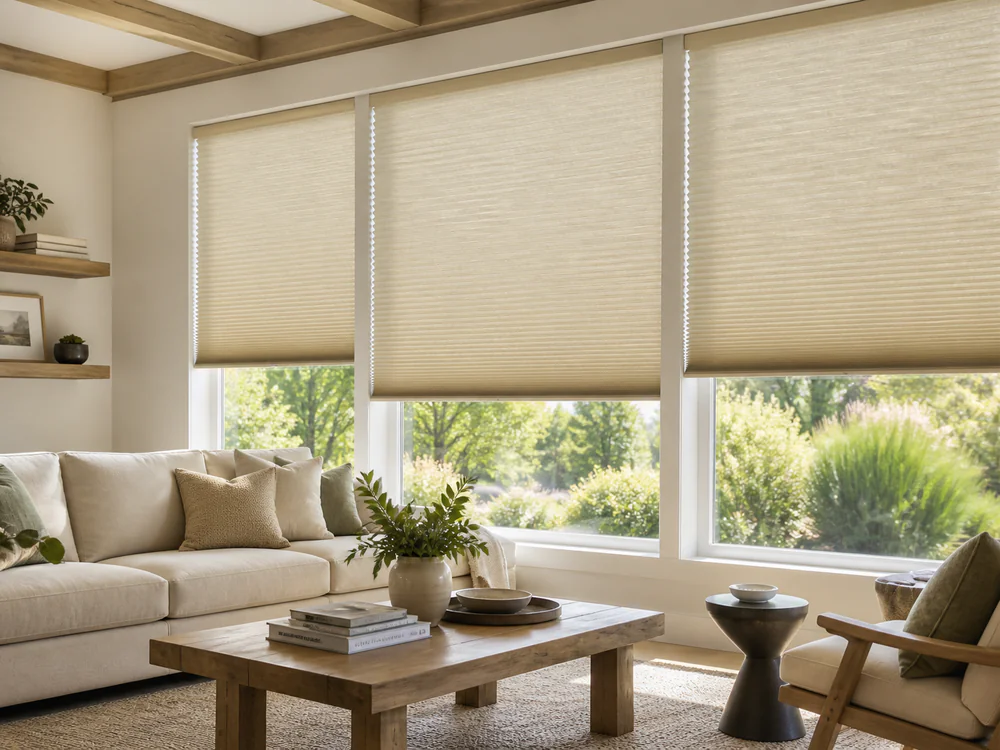
Cellular shades take a different approach. Instead of filtering sunlight, they trap air in their honeycomb-shaped pockets, creating a layer of insulation between the glass and the room. Studies have shown they can reduce heat gain by up to 60%, which is a meaningful number when your electric bill is already pushing past $300 or $400 in the summer.
Here’s where automation changes the math: even the best shade only works if it’s actually closed when the heat hits. Most people aren’t home at 2 PM on a Tuesday when the afternoon sun starts hammering their west-facing living room windows. With a scheduled motorized system connected to Google Home, you can program those shades to close automatically at a set time — no manual adjustment, no coming home to a hot house, no wasted cooling capacity. The shade does its job whether you’re there or not.
That combination — the right fabric for the Texas climate, installed to exact measurements, running on a schedule you set once — is what separates a functional smart shade system from a novelty. We manufacture our products locally in Denton, TX, built for this climate rather than shipped from a warehouse designed for somewhere with mild summers. The fit is precise, the performance holds up, and the integration is handled completely before we leave.
If you’re shopping for motorized shades and you already have smart home devices, you’ve probably wondered whether it matters which voice assistant you use. The honest answer is: not much, as long as the system you choose supports both. Most professional-grade motorized shade platforms — including Hunter Douglas PowerView — are compatible with Google Assistant, Amazon Alexa, and Apple HomeKit. You’re not locked into one ecosystem.
The practical differences come down to how you’ve already set up your home. If your routines, lights, and thermostat are all running through Google Home, it makes sense to add your shades there too. If you’re an Alexa household, same logic applies. PowerView handles both, which means you don’t have to make a platform decision just to get your blinds automated.
PowerView is the professional-grade motorization platform that we install, and it’s worth understanding how it actually works before comparing it to what you’d find in a big-box store or on Amazon.
The system uses Bluetooth Low Energy to communicate between the shades and the PowerView Gateway. The Gateway connects to your home’s Wi-Fi and acts as the bridge to Google Home, Alexa, or Apple HomeKit. Once that link is established, you can control individual shades by voice, group them by room, or build out scenes — preset configurations that move multiple shades to specific positions with a single command or schedule.
Scenes are where the system earns its value. You might set a “Good Morning” scene that opens the bedroom shades at 7 AM, an “Afternoon Heat” scene that closes the west-facing living room shades at 1:30 PM, and an “Evening” scene that opens everything back up when the sun drops. Each of those can be triggered by voice, by the app, or by a schedule that runs automatically. Once it’s set up, you genuinely stop thinking about your blinds — they just work.
For Tarrant County homeowners, that automated scheduling is particularly useful. The afternoon heat window here is predictable and punishing. Programming your shades to respond to it without any manual input means your home is managing its own temperature, and your HVAC isn’t fighting a losing battle against direct sunlight through unshaded glass.
PowerView Gen 3 also supports Matter, the universal smart home standard backed by Apple, Google, Amazon, and Samsung. That matters for longevity — it means the platform is designed to stay compatible as smart home standards evolve, rather than becoming obsolete when one ecosystem updates its requirements.
The installation process involves more than mounting hardware. Getting PowerView right means selecting the correct motor torque for each shade’s weight and size, positioning the Gateway for reliable signal coverage, programming the scenes to your preferences, and fully testing the Google Home or Alexa integration before we leave. That’s the part a DIY setup usually skips — and it’s usually why DIY setups underperform.
**How much do electric blinds cost?**
Professionally installed motorized blinds typically run between $300 and $1,000 per window, with the average landing around $650 per window according to HomeAdvisor’s January 2024 data. Where you fall in that range depends on the window size, the motor type, the shade fabric, and whether smart home integration is included. Premium systems with full PowerView integration and custom fabrics sit toward the higher end; simpler motorized roller shades in standard configurations come in lower. DIY retrofit options like SwitchBot or RYSE start around $49 to $179 per unit, but those are single-window solutions that don’t scale cleanly to a whole home and typically require more troubleshooting to maintain a stable Google Home connection.
**Do I need to replace all my blinds at once?**
No. A lot of homeowners in Tarrant County, TX start with the rooms that matter most — the west-facing living room that turns into a sauna by 3 PM, or the bedroom where morning light wakes everyone up too early. A partial installation with PowerView still gives you full Google Home integration for those rooms, and you can expand the system over time without starting over. The platform is designed to scale.
**What happens if my Wi-Fi goes out?**
With PowerView, the shades still respond to the Pebble Remote even when Wi-Fi is down — the remote communicates directly with the motor via Bluetooth, independent of your network. You won’t lose manual control of your window treatments just because your router reboots.
**Can I motorize my existing blinds instead of replacing them?**
Sometimes, yes — retrofit motors exist for certain blind types. But for a whole-home system with reliable Google Home integration, custom-installed motorized shades are the more dependable path. Retrofit options work well for one or two windows where you want a simple solution. They tend to get complicated when you’re trying to coordinate multiple rooms, multiple shade types, and a unified smart home setup.
**Is this worth it in a rental or a home I might sell?**
In a market like Tarrant County — where the area is growing by roughly 89 new residents a day and new construction is constant — motorized window treatments with smart home integration are increasingly expected in higher-end homes, not considered extras. For homeowners planning to stay, the energy cost reduction and daily convenience make the case on their own.
The technology behind smart blinds isn’t complicated once someone explains it clearly. The hub bridges the gap between your shades and Google Home. The platform you choose determines how capable and reliable that connection is. And in a place like Tarrant County — where your windows are fighting you from April through October — the right system does more than answer voice commands. It actively manages your home’s temperature on a schedule, without you having to think about it.
If you’ve been researching this for a while and still aren’t sure where to start, that’s exactly what a free in-home consultation is for. We look at your windows, your existing smart home setup, and your priorities — and we tell you honestly what makes sense. No pressure, no upselling, just a clear picture of what it would take to get your blinds working the way the rest of your smart home already does. Reach out to A Plus Shutters & Shades when you’re ready to have that conversation.
Article details:
Share:
Continue learning: